
Laptop screen extenders are becoming very popular in Pakistan in 2026. Many students, freelancers, and office workers now want more screen space to improve their work speed. If you search for “cheap laptop screen extender Pakistan” or “how to connect laptop screen extender Windows 10”, you will find many options—but choosing the right one can be confusing.
This detailed guide will help you understand prices, best models, features and how to set up a laptop screen extender easily.
What is a Laptop Screen Extender?
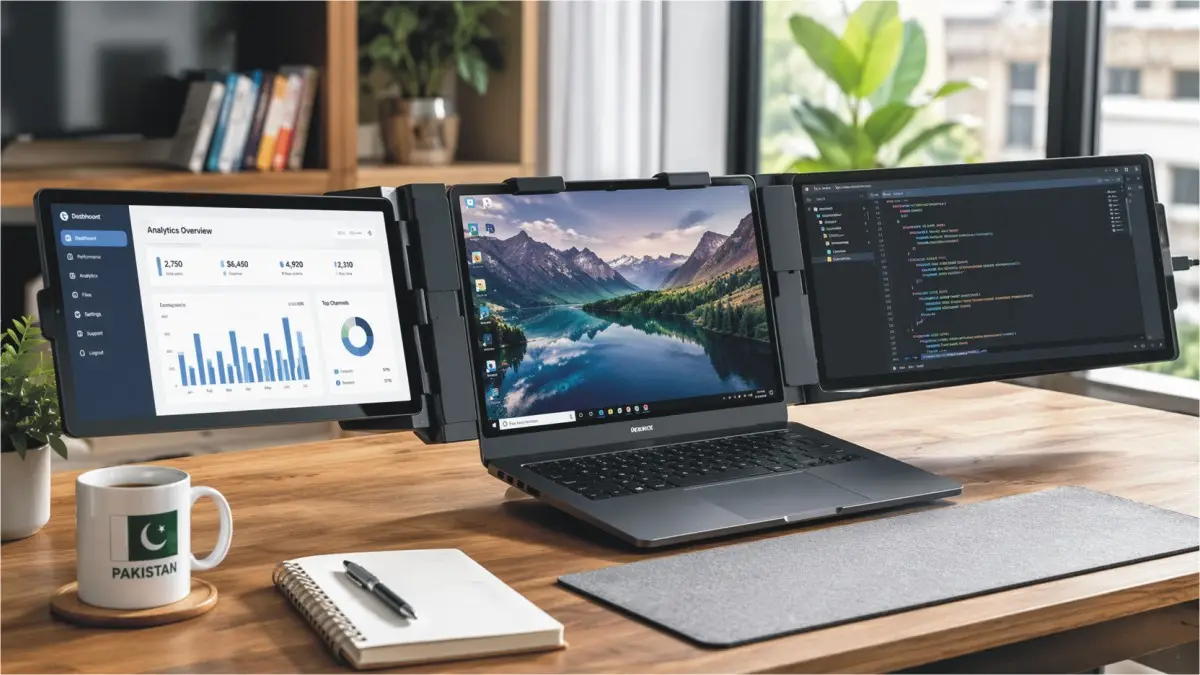
A laptop screen extender is a portable extra display that you attach to your laptop. It can be:
- A single portable monitor
- A dual-screen extender (one extra screen)
- A triple-screen extender (two extra screens)
These devices help you:
- Work faster (multitasking)
- Study with multiple tabs open
- Edit videos or photos easily
- Do online jobs like freelancing and trading
Latest Laptop Screen Extender Price in Pakistan (April 2026)
Prices in Pakistan fluctuate based on the dollar rate and import taxes. However, as of April 2026, there are options for every budget.
Quick Price Comparison Table (2026)
| Screen Type | Model | Screen Size | Estimated Price (PKR) |
|---|---|---|---|
| Triple | V2com S6 | 15.6″ | Rs. 146,500 |
| Triple | Maxfree S2 | 14″ | Rs. 119,176 |
| Dual | Lenovo ThinkVision M14 | 14″ | Rs. 85,000 |
| Dual | V2com S1 | 14″ | Rs. 75,000 |
| Single | Asus ZenScreen MB166CR | 15.6″ | Rs. 59,999 |
| Single | MSI Optix MAG161V | 15.6″ | Rs. 45,000 |
| Budget | Generic / HGFRTEE | 11.6″–15.6″ | Rs. 24,999 – Rs. 47,500 |
Price Breakdown by Category
Cheap Laptop Screen Extender Pakistan (Budget Range)
- Price: Rs. 25,000 – Rs. 50,000
- Size: 11.6″ to 15.6″
- Best for students and beginners
You can find these on platforms like Daraz.
These are simple plug-and-play monitors.
Mid-Range Portable Monitors
- Price: Rs. 50,000 – Rs. 90,000
- Better display quality (FHD 1080P)
- Slim and lightweight
Popular models:
- Asus ZenScreen MB166CR
- Lenovo ThinkVision M14
Premium Triple Screen Extenders
- Price: Rs. 100,000 – Rs. 150,000+
- Dual screens attach to laptop
- Best for professionals
Available on:
Top models:
- V2com S6
- Maxfree S2
ALSO READ
Buy Now Pay Later: Alibaba Launches Easy Installment Shopping in Pakistan
Top Laptop Screen Extenders in Pakistan (2026)
When choosing a model, you need to look at the screen size, weight, and how it connects to your laptop. Here are the top-rated models currently available on platforms like Daraz.pk and Ubuy.com.pk.
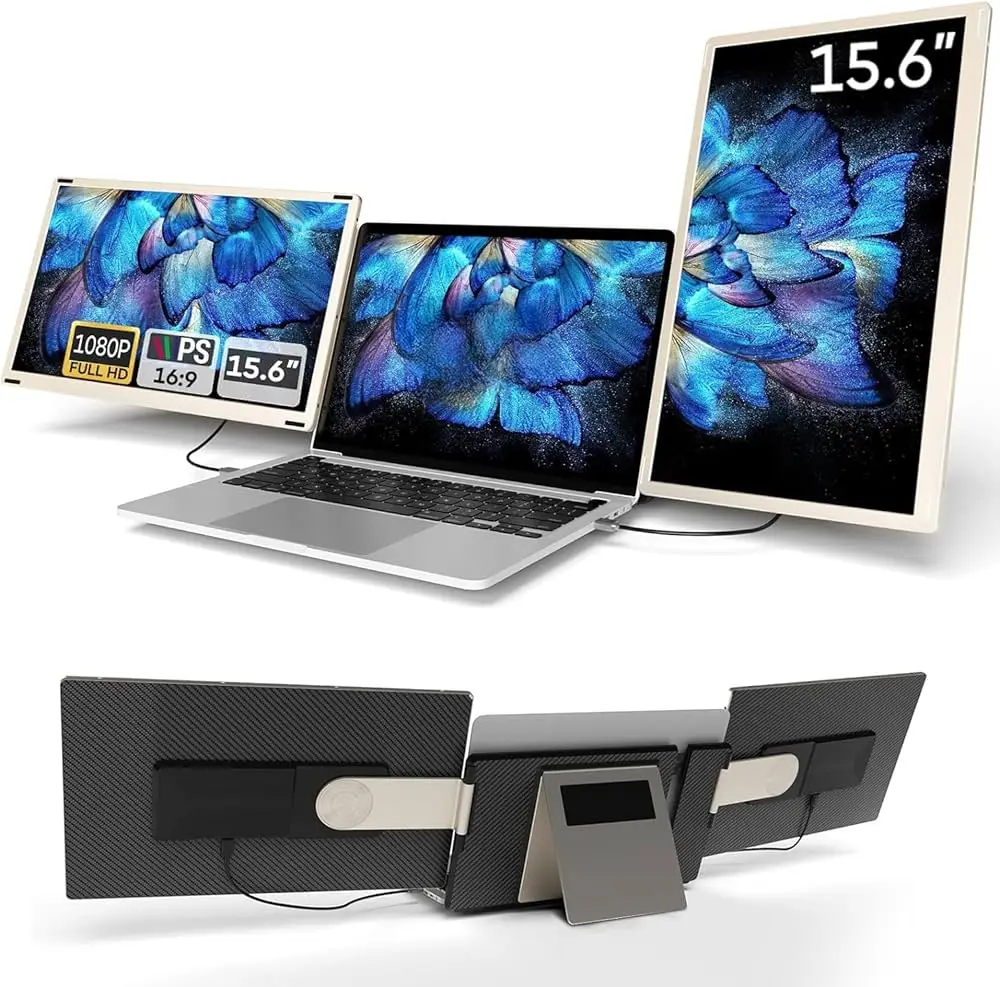
V2com S6 Triple Extender
This is the “King” of screen extenders in Pakistan for 2026. It features two 15.6-inch FHD 1080P screens. It is perfect for people using large 15-inch to 17-inch laptops.
Best For: Video editors, stock traders, and data analysts.
Pros: Large viewing area, high brightness, works with one cable if your laptop has a full-feature Type-C port.
Cons: Heavy and expensive.
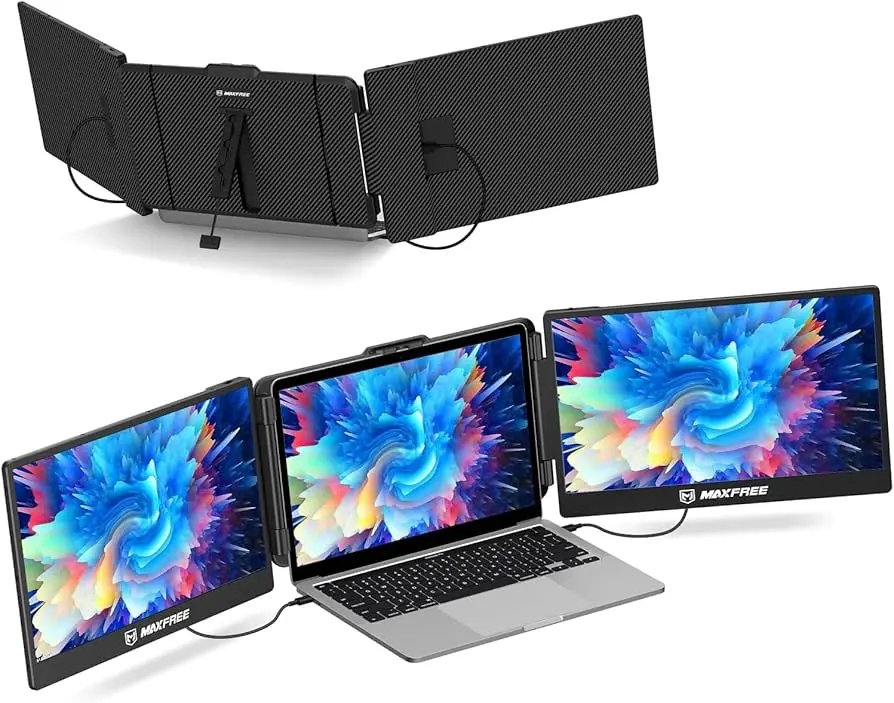
Maxfree S2 (14-inch)
The Maxfree S2 is highly popular on Wellshop and Ubuy Pakistan. It offers a very stable grip on the laptop lid and uses high-quality IPS panels.
Best For: Remote workers who travel between cities like Peshawar and Multan.
Pros: Very thin design, excellent color accuracy.
Cons: May require two cables for older laptops.
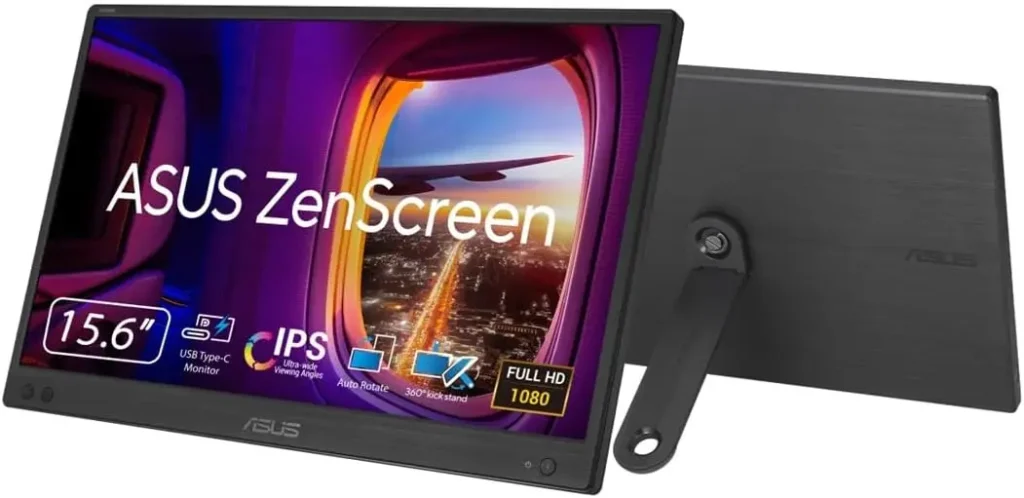
Asus ZenScreen MB166CR
Asus is a trusted brand in Pakistan. This model is not a clip-on but a very slim portable monitor. It is known for its durability and eye-care technology.
Best For: Students and office workers.
Pros: Lightweight, great warranty support in Pakistan.
Cons: Only adds one extra screen.
Comparison Table 2026
To help you make a quick decision, we have compared the top three types of extenders available in the Pakistani market.
| Feature | Triple Screen (V2com S6) | Dual Screen (Lenovo M14) | Budget Monitor (HGFRTEE) |
|---|---|---|---|
| Price (PKR) | Rs. 146,500 | Rs. 85,000 | Rs. 24,999 |
| Portability | Medium (Heavy) | High (Slim) | High (Very Light) |
| Screen Size | Dual 15.6″ | Single 14″ | Single 11.6″ |
| Best Used For | Heavy Multitasking | Professional Travel | Basic Office Work |
| Connection | Type-C / HDMI | Type-C | Mini-HDMI / Type-C |
Setup Guide: How to Connect Laptop Screen Extender on Windows 10
Many users in Pakistan still use Windows 10. Connecting your new screen extender is usually simple, but sometimes you might face issues with “No Signal.” Follow these steps for a smooth setup:
Step 1: Check Your Ports
Before you buy, look at the sides of your laptop.
- USB-C (Thunderbolt or DP): This is the best. It provides both power and video through one cable.
- HDMI: This provides video only. You will need another USB cable for power.
- USB-A (Standard USB): You might need a “DisplayLink” adapter to make this work.
Step 2: Physical Attachment
If you have a clip-on model like the Maxfree S2, carefully slide the brackets over your laptop screen. Ensure the kickstand at the back is touching the table. This prevents the weight of the extra screens from damaging your laptop hinges.
Step 3: Connecting the Cables
- Connect the Type-C cable from the extender to your laptop’s Type-C port.
- If the screen does not turn on, connect the secondary USB cable to a power outlet or another port on your laptop.
- If using HDMI, plug the HDMI cable for the picture and the USB cable for power.
Step 4: Windows 10 Settings
Once connected, your laptop might mirror your main screen (show the same thing). To fix this:
- Right-click on your Desktop and select Display Settings.
- Scroll down to the Multiple Displays section.
- Select Extend these displays from the drop-down menu.
- You can now drag the screen icons (1, 2, and 3) to match their physical positions on your desk.
Pros and Cons of Using Screen Extenders
Pros
- Increased Productivity: Studies show that using two or more screens can increase work speed by up to 40%.
- Portability: Unlike a desktop monitor, you can fold these and put them in your backpack.
- Professional Look: Having a triple-screen setup in a meeting or a cafe looks very professional.
Cons
- Battery Drain: These screens take power from your laptop. Your battery will finish twice as fast if you are not plugged into a charger.
- Weight: Carrying a triple-screen extender adds about 1.5kg to 2kg to your bag.
- Price: In Pakistan, the high-end models are still quite expensive compared to standard 24-inch LED monitors.
Is it Worth Buying in 2026?
We have verified the pricing and availability with major Pakistani tech vendors.
Expert Tip: If you are on a tight budget, look for “Open Box” or “A-Grade” used units on OLX or Daraz. You can often find a cheap laptop screen extender in Pakistan for under Rs. 20,000 if you buy a single-screen 1080P portable monitor.
Compatibility Check: Most extenders in 2026 are “Plug-and-Play.” However, if you have an older laptop (pre-2020), always check if your USB-C port supports “DisplayPort Alt Mode.” If it does not, you will have to use HDMI cables, which can make your desk look messy with too many wires.
Where to Buy in Pakistan?
- Daraz.pk: Best for budget models and local shipping. Look for “Mall” sellers for better warranty.
- Ubuy.com.pk: Best for high-end international brands like Kwumsy or Maxfree. Note that shipping may take 10-14 days.
- Al Hamd Tech: A specialist in Pakistan for V2com products. They often have physical stock in major cities.
- Mega.pk / Zah Computers: Good for branded portable monitors like Asus, MSI, and Lenovo.
Conclusion
Investing in a laptop screen extender in 2026 is a smart move for anyone serious about their digital work. While the laptop screen extender price in Pakistan can be high for triple-screen setups, the productivity gains are worth the cost. For those looking for value, a single portable monitor from Asus or MSI offers a great balance of price and performance.
Always remember to check your laptop’s ports before buying and use our setup guide to get your new workstation running in minutes.
Disclaimer: Prices mentioned are based on market research from April 2026 and may change due to local economic conditions.


 By
By